The best applications for live streaming on YouTube include OBS Studio, StreamYard, PRISM Live Studio, Streamlabs and Riverside.fm. OBS Studio is ideal for professional and custom streaming, StreamYard is best for interviews and webinars, PRISM Live Studio is suitable for mobile streaming, Streamlabs is popular for gaming creators, and Riverside.fm is useful for podcasts and high-quality interviews.
If you are searching for the best application for live streaming on YouTube, choosing the right software is important for getting clear video, good audio and a smooth streaming experience. Whether you are a YouTuber, teacher, online educator, gamer, business, webinar host or content creator, the right YouTube live streaming software can make your broadcasts more professional.
In this guide, we compare the top 5 best live streaming applications for YouTube in India based on features, ease of use and different streaming requirements.
Quick Comparison: Best YouTube Live Streaming Applications
Application | Best For | Platform | Pricing |
OBS Studio | Professional streaming | Windows, Mac, Linux | Free |
StreamYard | Interviews & webinars | Web, Mobile | Free + Paid |
PRISM Live Studio | Mobile streaming | Android, iOS, Windows, Mac | Free + Paid |
Streamlabs | Gaming & creators | Windows, Mac, Android, iOS | Free + Paid |
Riverside.fm | Podcasts & interviews | Web, iOS, Android | Free + Paid |
1. OBS Studio – Best Free Software for YouTube Live Streaming
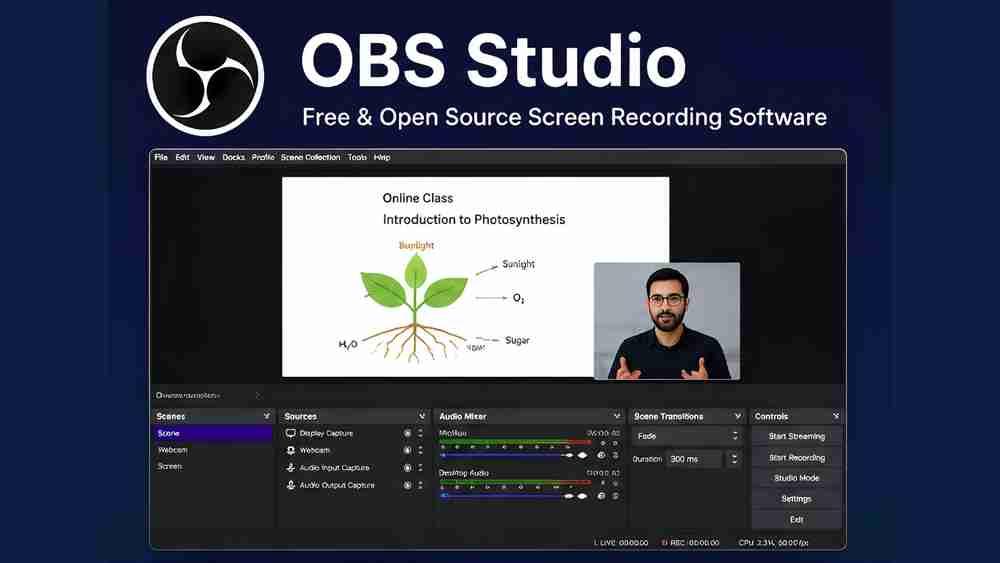
OBS Studio is one of the best free live streaming software options for YouTube. It is open-source and available for Windows, Mac and Linux.
It provides custom bitrate control, hardware encoding support and unlimited scenes, making it suitable for users who want detailed control over their live streams.
You can use OBS for webcam streaming, screen sharing, gaming, online classes and professional multi-source streaming.
Best for: YouTubers, educators, gamers and professional streamers.
2. StreamYard – Best YouTube Streaming Application for Interviews

StreamYard is a browser-based streaming application that does not require complicated software installation. It is particularly useful for interviews, webinars, podcasts and multi-person live shows.
Its cloud-based processing and support for multiple on-screen guests make it a convenient choice for businesses, educators and content creators.
If you want an easy-to-use live streaming software for webinars or interviews, StreamYard is worth considering.
Best for: Interviews, webinars, podcasts and online events.
3. PRISM Live Studio – Best App for Mobile YouTube Streamin

For creators who want to live stream on YouTube from mobile, PRISM Live Studio is a useful option. It supports Android, iOS, Windows and Mac.
Features such as beauty filters, VTuber effects and 1080p mobile streaming make it suitable for mobile creators, vloggers and gaming streamers.
It is a good choice when you want to create and broadcast content without depending completely on a desktop setup.
Best for: Mobile creators, vloggers and gaming streams.
4. Streamlabs – Best Live Streaming Software for Gaming
Streamlabs is designed for creators who want more interactive YouTube live streams. It offers features such as viewer alerts, chat widgets and a layout editor.
These tools can help gaming creators display alerts and audience interactions during live broadcasts. Streamlabs offers free core features, with additional features available through its Ultra subscription.
Best for: YouTube gaming, content creators and interactive streams.
5. Riverside.fm – Best for YouTube Podcasts and Interviews

Riverside.fm is a strong option for podcasts, interviews and professional conversations. It supports local 4K video recording and separate audio tracks for guests.
This makes it useful for creators who want high-quality recordings while producing live or recorded content with multiple participants.
Best for: Podcasts, interviews and professional video content.
Which Is the Best App for YouTube Live Streaming?
The best app for YouTube live streaming depends on your requirements:
OBS Studio: Best overall for free and custom professional streaming.
StreamYard: Best for simple interviews and webinars.
PRISM Live Studio: Best for mobile streaming.
Streamlabs: Best for gaming and interactive broadcasts.
Riverside.fm: Best for podcasts and professional interviews.
For professional streaming, software is only one part of the setup. A PTZ camera, professional microphone, lighting system, computer and reliable internet connection can also improve your production quality.
Professional YouTube Live Streaming Setup by Edumark Technologies
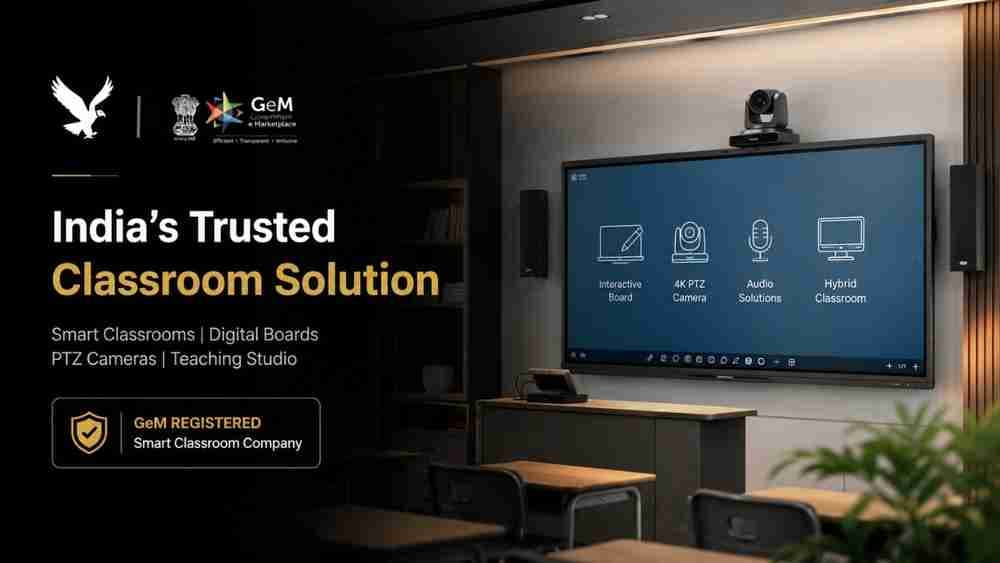
A good streaming application works even better when paired with the right hardware. Edumark Technologies provides professional solutions including PTZ cameras, professional microphones, lighting solutions, audio-video equipment, online teaching studio setups and live streaming setups.
These solutions can be useful for YouTubers, teachers, educational institutions, businesses, webinar hosts and professional content creators across India.
If you are planning a professional YouTube live streaming setup, Edumark Technologies can help you select suitable audio-video equipment according to your requirements.
Frequently Asked Questions
Which application is best for YouTube live streaming?
OBS Studio is a strong choice for users who want free software with extensive customisation and streaming control.
What is the easiest live streaming software for beginners?
StreamYard is a convenient option for beginners because it works through a web browser and has a simple interface.
Is OBS Studio free?
Yes, OBS Studio is completely free and open-source.
Can I live stream on YouTube from my mobile?
Yes. PRISM Live Studio supports mobile streaming on Android and iOS.
What software do YouTubers use for live streaming?
Popular options include OBS Studio, Streamlabs, StreamYard and other YouTube-compatible streaming applications.
Final Verdict
There is no single best software for live streaming on YouTube for every user. OBS Studio is ideal for professional control, StreamYard works well for interviews, PRISM Live Studio is suitable for mobile creators, Streamlabs is useful for gaming, and Riverside.fm is a strong option for podcasts and interviews.
Choose your YouTube streaming application according to your content type, equipment, technical experience and streaming requirements. For a professional setup, combining the right software with quality cameras, microphones and lighting can significantly improve your live-streaming experience.