LG CreateBoard Standard
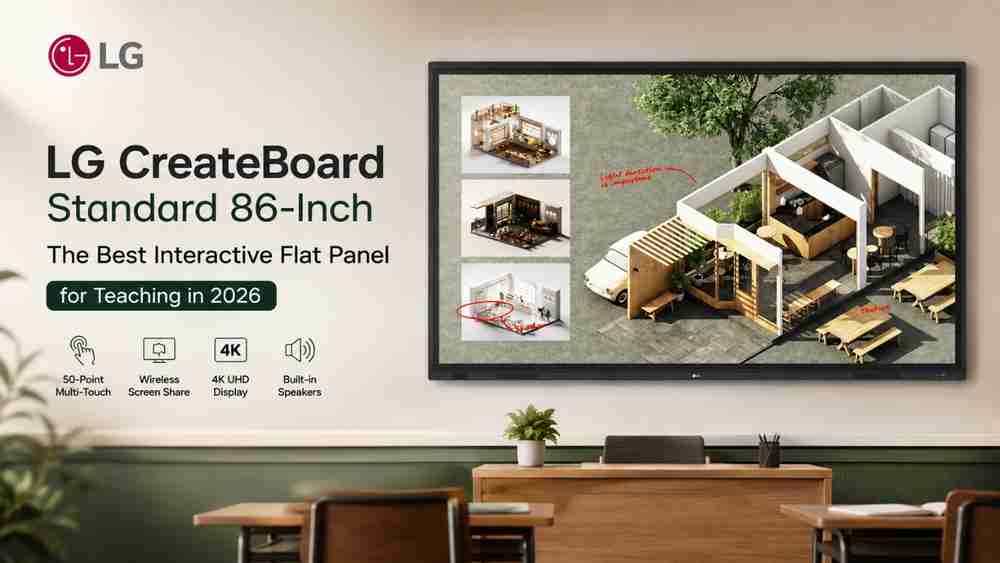
Looking for the best interactive flat panel for teaching in 2026? The LG CreateBoard Standard 86-inch combines a massive 4K UHD display, 50-point multi-touch, Google certification, wireless screen sharing, AI-ready teaching tools, built-in audio, OPS support and advanced classroom security—making it a powerful choice for modern smart classrooms.
In today's education environment, technology is transforming the way teachers explain concepts, interact with students and deliver digital learning content. A modern Interactive Flat Panel (IFP) can replace traditional boards and projectors with a single, large-format digital teaching solution. For schools, colleges, coaching institutes and training centres searching for the best LG interactive flat panel for teaching, the LG CreateBoard Standard 86TR3DQ-I is designed to provide an immersive and collaborative classroom experience.
The LG CreateBoard Standard combines a 4K UHD display, IPS panel technology, up to 50-point multi-touch, wireless screen sharing, digital whiteboarding, Google certification, built-in speakers and subwoofer, Bluetooth, USB-C connectivity and OPS support. According to the LG brochure, the 86TR3DQ-I features a 3,840 × 2,160 UHD resolution, 450 cd/m² brightness and maximum 50-point multi-touch.
What Is LG CreateBoard Standard?
LG CreateBoard Standard is LG's interactive display solution designed for teaching, collaboration, presentations and digital content creation. The 86TR3DQ-I provides a large interactive workspace where teachers can write, draw, annotate, zoom, rotate and interact directly with content.
LG describes CreateBoard as a creative whiteboard solution with a lifelike touch experience. Users can write, draw, zoom and rotate using their fingers, while screen and content sharing allows participants to collaborate even when working remotely.
For education, this means a teacher can move beyond conventional classroom presentation. Instead of simply displaying a lesson, the teacher can actively interact with diagrams, documents, websites, videos and digital teaching resources.
LG CreateBoard Standard Key Specifications
The following specifications are taken directly from the uploaded LG product brochure.
Specification | LG CreateBoard Standard 86TR3DQ-I |
Model | 86TR3DQ-I |
Display Size | 86-inch / 217 cm |
Panel Technology | IPS |
Backlight Type | Direct |
Aspect Ratio | 16:9 |
Native Resolution | 3840 × 2160 UHD |
Refresh Rate | 60 Hz |
Brightness | 450 cd/m² (nits) |
Contrast Ratio | 1200:1 |
Dynamic Contrast Ratio | 5000:1 |
Colour Gamut | NTSC 72% |
Viewing Angle | 178° × 178° |
Colour Depth | 10-bit (8-bit + FRC) |
Response Time | 8 ms |
Surface Treatment | 25% haze |
Life Time | 50,000 hours (L50, minimum) |
Operation Hours | 16/7 |
Portrait/Landscape | X / Yes |
Maximum Multi-Touch | Up to 50 points |
Internal Memory | 64 GB eMMC |
Operating System | Android 14 (EDLA) |
Built-in Wi-Fi/Bluetooth | Yes, slot type |
Built-in Microphones | 8 |
Built-in Speaker | 20 W × 2 |
Subwoofer | 20 W |
HDMI Input | 3 |
DisplayPort Input | 1 |
VGA Input | 1 |
Audio Input | 1 |
RS232C Input | 1 |
LAN Input | 1 |
USB 3.0 Type-A | 5 |
USB 2.0 Type-A | 1 |
USB Type-C | 2 |
HDMI Output | 1 |
Audio Output | 1 + Optical SPDIF |
Touch USB | 3 |
LAN Output | 1 |
VESA Mount | 800 × 600 mm |
Head Weight | 54.1 kg |
Product Dimensions | 1957 × 1170.8 × 99.7 mm |
Built-in Audio | 20 W × 2 speakers + 20 W subwoofer |
The brochure lists the complete panel, connectivity and mechanical specifications for the 86TR3DQ-I.
4K UHD Display for Immersive Teaching
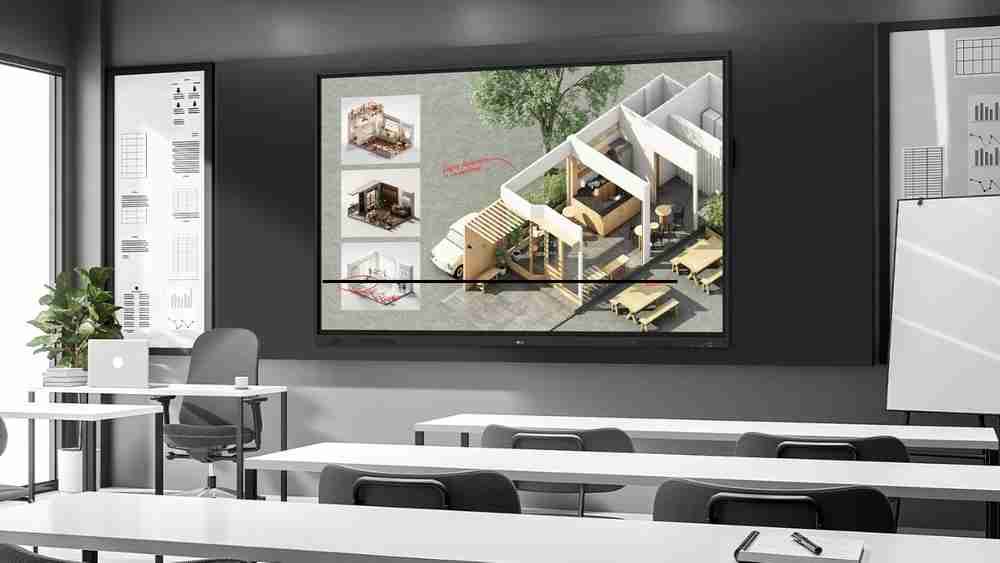
The LG CreateBoard Standard features a 3840 × 2160 UHD resolution on an IPS panel. With an 86-inch screen, teachers get a large digital workspace suitable for classrooms, lecture rooms, laboratories, seminar halls and coaching environments.
Its 450 nits brightness, 1200:1 contrast ratio, 178° × 178° viewing angle and 60 Hz refresh rate help deliver a clear and comfortable viewing experience. The display also features a 10-bit colour depth specification and 8 ms response time.
This makes the panel suitable for displaying:
- Digital textbooks
- Presentations
- Educational videos
- Charts and diagrams
- Maps
- PDF documents
- Online resources
- Interactive lessons
- Subject demonstrations
Up to 50-Point Multi-Touch
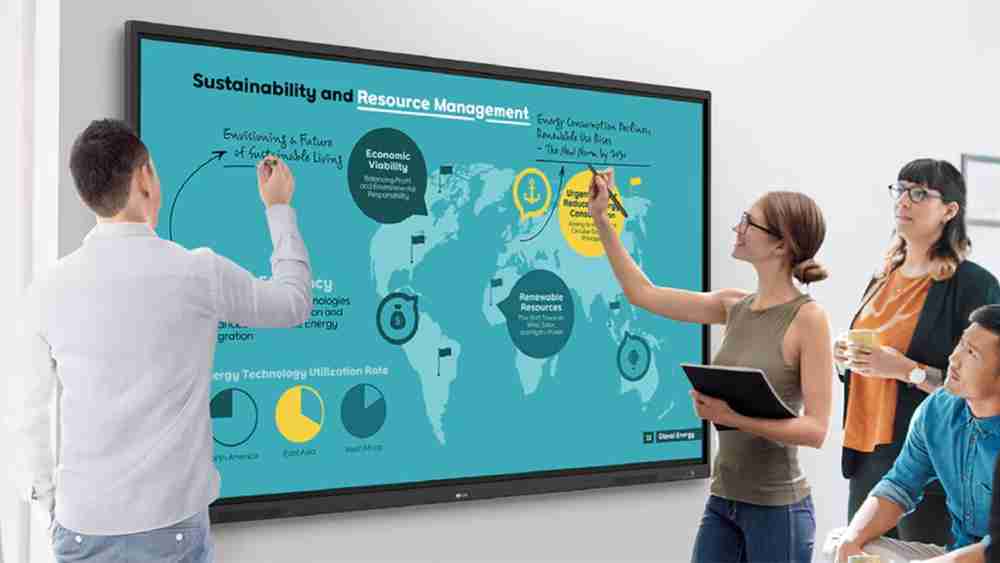
One of the standout features of LG CreateBoard Standard is its maximum 50-point multi-touch capability.
The brochure explains that the display can detect up to 50 touch points simultaneously, supporting multiple users and gesture inputs. This can be particularly useful for collaborative classroom activities where several students or teachers interact with the display together.
For example, students can work together on a mathematical problem, annotate a diagram or participate in interactive activities while the teacher guides the lesson.
LG CreateBoard Whiteboarding and Teaching Tools
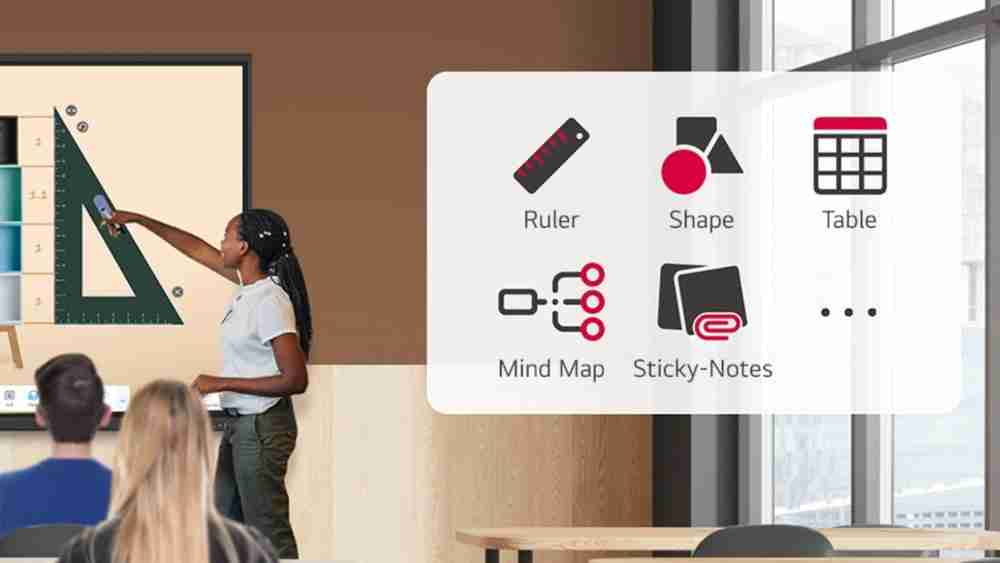
LG CreateBoard provides digital whiteboarding functionality designed to make lessons more interactive. The platform includes educational templates and tools such as a ruler, table and sticky notes.
These tools can help teachers create structured digital lessons and encourage active student participation.
The platform also includes productivity tools such as a calculator, clock and sticky notes. Users can personalize the menu bar with frequently used tools for faster access during lessons or presentations.
Easy Import, Export and Cloud Sharing
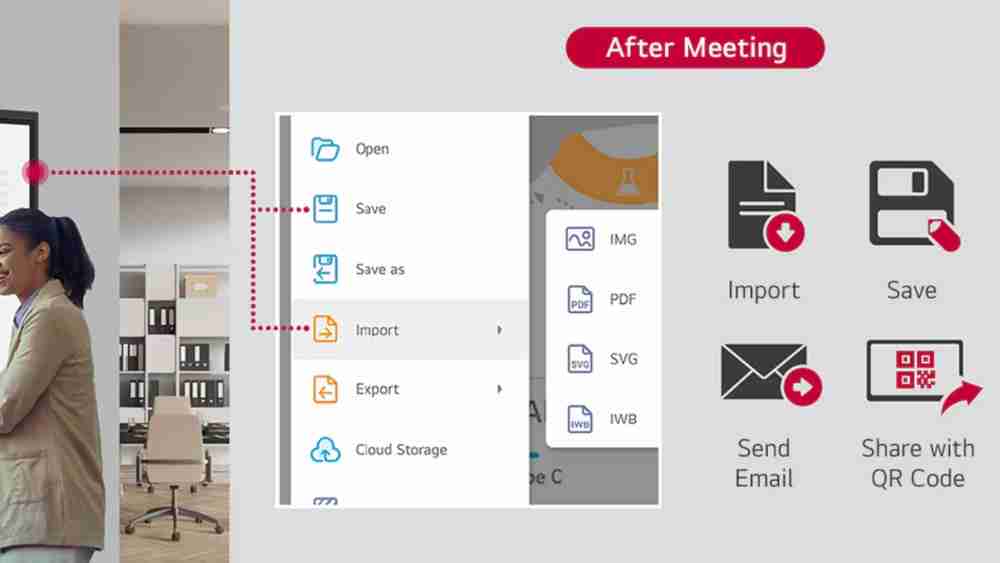
Teachers frequently need to save lesson materials and share them with students or colleagues. LG CreateBoard provides import and export functionality with support for Google Drive and OneDrive.
The brochure also states that materials can be shared by email after meetings, while a QR code can be used to transfer materials to a personal device.
This can make digital lesson management more convenient for teachers.
LG CreateBoard Lab and Multi-OS Support
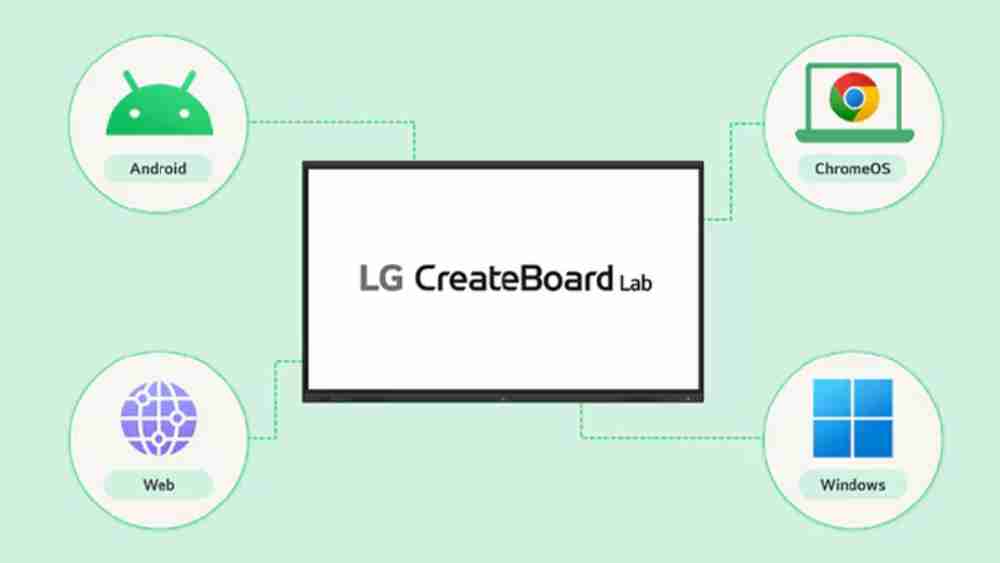
LG CreateBoard Lab is LG's proprietary whiteboarding software. The brochure states that it supports Android, Windows, Chrome and the Web, allowing users to maintain a consistent experience across different devices, including tablets and laptops.
LG notes that certain features may vary depending on the operating system.
This multi-OS capability can be particularly useful in educational institutions where teachers and students use different types of devices.
Wireless Screen Sharing with CreateBoard Share
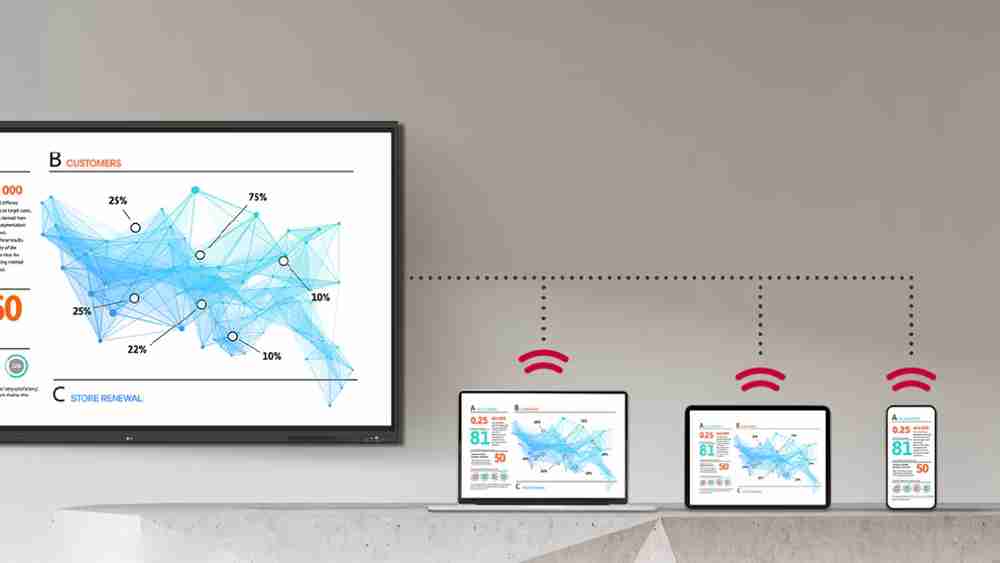
A modern classroom often involves content coming from multiple devices. LG CreateBoard Share enables wireless screen sharing from PCs, tablets and smartphones.
According to the brochure, users can share up to nine screens in real time, making it possible to display multiple participants' materials simultaneously. A connection can be established using a six-digit code.
The presenter can also control presentations from their own device, allowing teachers to move around the classroom instead of staying directly beside the display.
Google Certification and Google Play Store
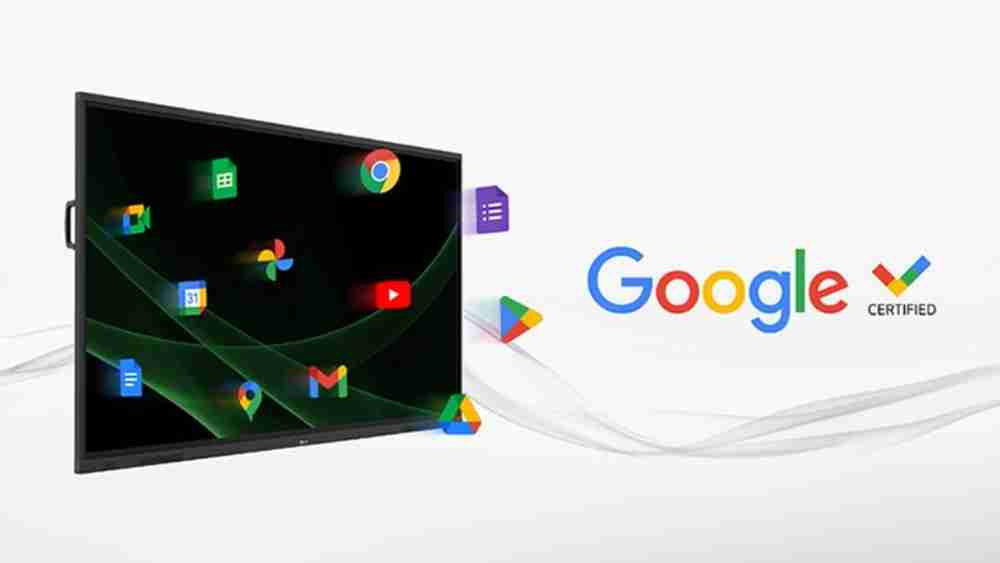
The LG CreateBoard Standard has received Google certification, allowing users to connect their Google accounts and access the Google ecosystem.
The brochure also states that users can access the Google Play Store to download applications, including education-related games and tools. Availability is subject to Google's service availability in the relevant country.
This can expand the range of applications available for digital teaching.
USB-C, Bluetooth and Front Connectivity
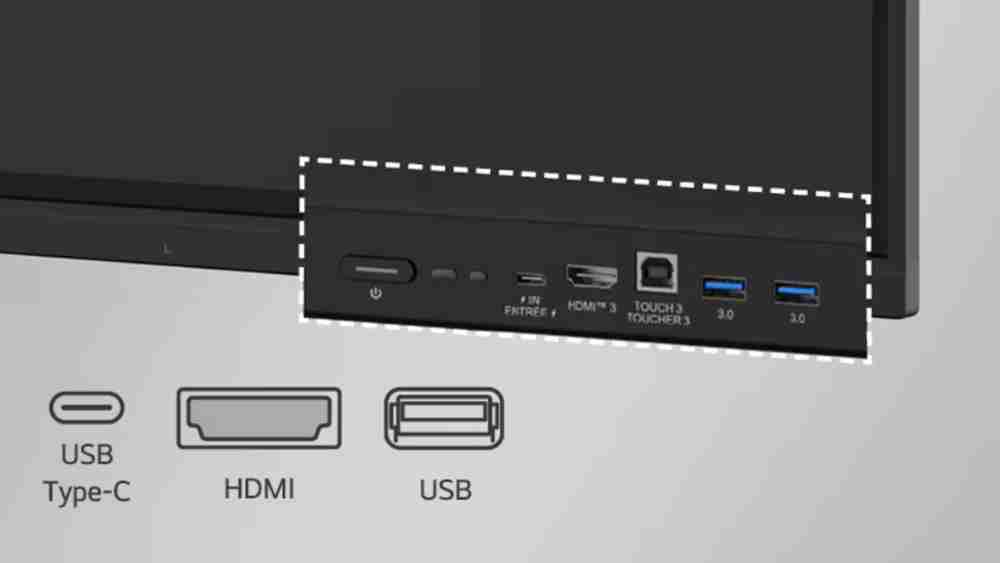
LG has designed the CreateBoard Standard with multiple connectivity options. USB-C connectivity can support charging and data transmission over one cable, with the brochure specifying 65 W power delivery without OPS / DP Alt Mode for the relevant USB-C connection.
The panel also supports Bluetooth connectivity for devices such as speakers, mice and keyboards. Front-facing ports make it easier for teachers and presenters to connect and disconnect devices.
The connectivity specification includes three HDMI inputs, DisplayPort, VGA, USB ports, USB-C, HDMI output, audio output, touch USB and LAN connections.
Powerful Front-Facing Audio
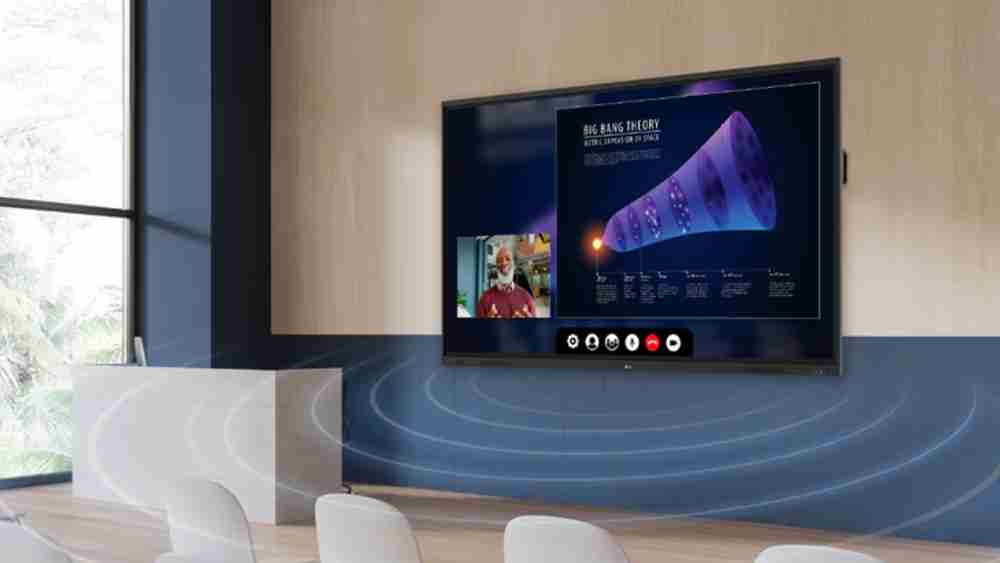
Good classroom technology requires clear sound as well as a large display. The LG CreateBoard Standard includes two 20 W speakers and a 20 W subwoofer.
The front-facing speaker and subwoofer design is intended to provide clear and powerful audio for communication and collaboration without necessarily requiring additional audio equipment.
Advanced Eye-Care and Flicker-Free Certification
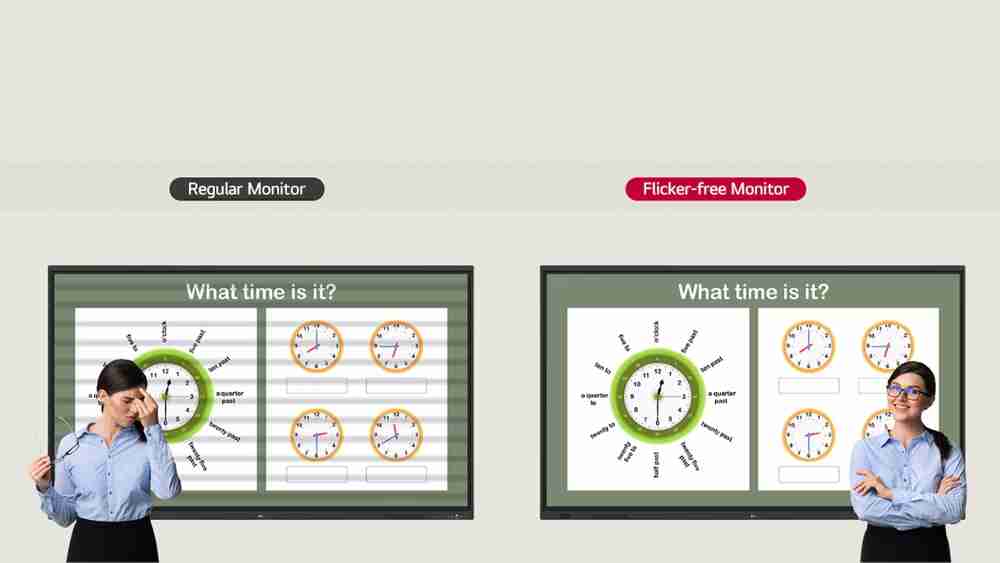
Teachers and students may spend extended periods looking at a classroom display. LG has incorporated a flicker-free function into CreateBoard.
According to the brochure, all TR3DQ sizes received official Flicker Free certification from TÜV Rheinland, with the certification period stated as January 2025 to January 2028. The cited test covers visible and invisible flicker according to the specified testing standards across 0 to 3,000 Hz at various brightness settings.
Built-In OPS Slot for Windows Computing
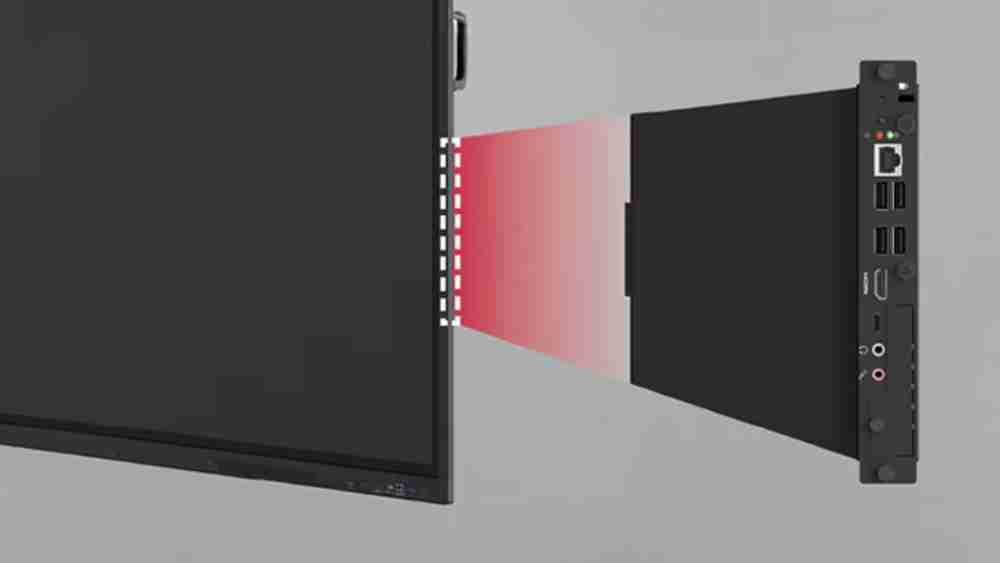
The LG CreateBoard Standard supports an OPS (Open Pluggable Specification) slot. An OPS module can be mounted at the back of the display, enabling PC functionality and Windows software without requiring an external desktop setup.
The brochure notes that the OPS slot is sold separately.
For institutions that require Windows-based educational applications, an OPS configuration can therefore expand the functionality of the interactive panel.
Multi-Screen Mode
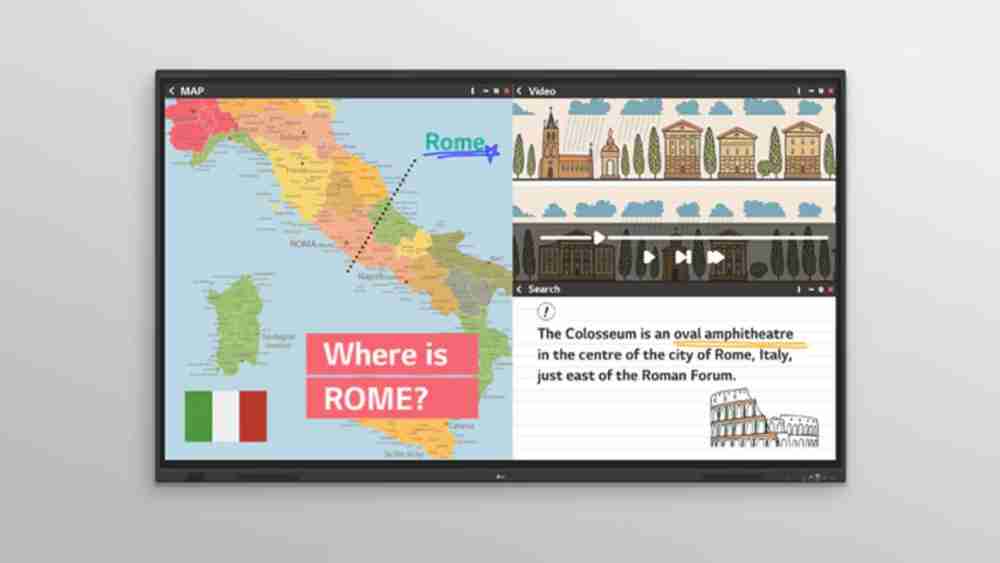
The CreateBoard Standard also supports multi-screen mode, allowing users to perform different activities simultaneously, such as taking notes, playing videos and browsing the web.
LG notes that multi-screen mode may not work with some applications.
This can be useful when teachers need multiple resources visible during a lesson.
Security Features for Educational Institutions
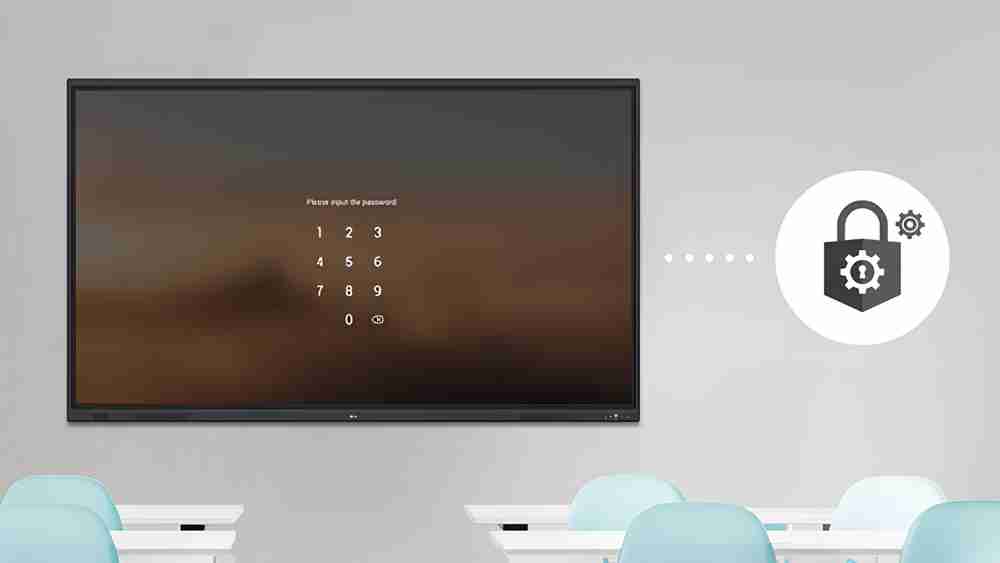
Security is important when interactive displays are used in schools and institutions. LG CreateBoard Standard includes several security-related functions.
Screen Lock allows users to protect the display using a password. USB Lock Mode can help prevent data from being copied to unauthorized devices, while Auto-remove Files allows users to configure regular file deletion for enhanced security.
These features can be useful in classrooms, laboratories, libraries and shared institutional environments.
LG ConnectedCare for Remote Device Management
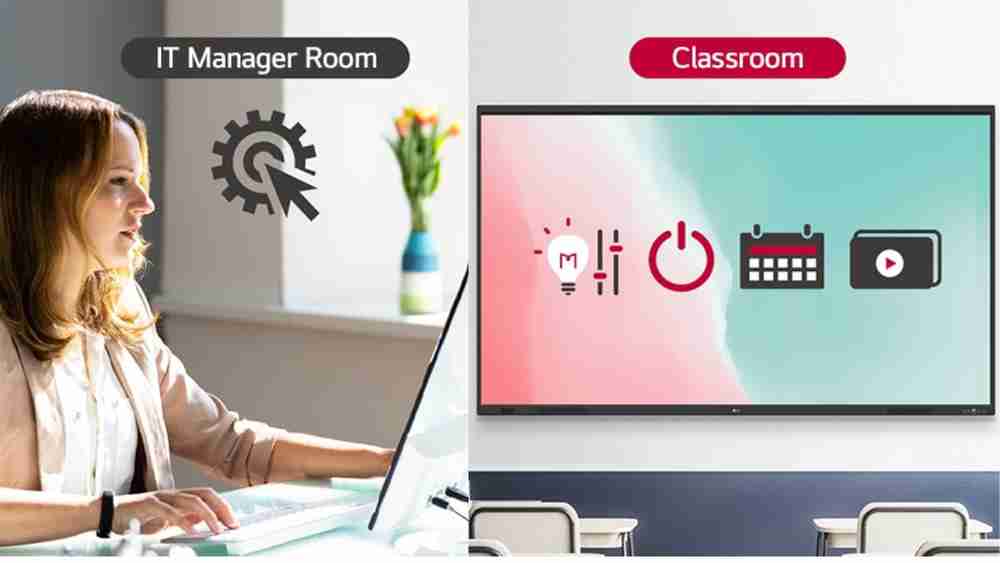
For institutions managing multiple LG displays, LG ConnectedCare provides cloud-based remote monitoring, control and management.
The dashboard can display and monitor multiple devices simultaneously. Administrators can remotely control functions such as power on/off, scheduling and screen brightness. The system can also broadcast messages and content to connected devices and distribute alert messages when required.
LG states that ConnectedCare needs to be purchased separately and that service availability varies by region.
Power Consumption and Operating Conditions
The LG CreateBoard Standard has a typical power consumption specification of 235 W, with measured typical consumption listed as 215 W. Maximum consumption is specified at 400 W, with measured maximum consumption of 370 W.
DPM consumption is 0.5 W, while power-off consumption is below 0.5 W.
The specified operating temperature range is 0°C to 40°C, with operating humidity from 10% to 90%.
What's Included with LG CreateBoard Standard?
The listed accessories include a 3-metre power cord, 5-metre USB Type-A to Type-B cable, 1.8-metre USB Type-C to Type-C cable, 3-metre HDMI cable, two writing pens, user manual, quick start guide, carton box, remote controller with two batteries and Wi-Fi module.
Why LG CreateBoard Standard Is a Strong Choice for Teaching
The biggest advantage of LG CreateBoard Standard is that it brings multiple classroom functions into one integrated platform.
Teachers can use the display for:
- Digital whiteboarding
- Interactive presentations
- Educational videos
- Online resources
- Wireless screen sharing
- Google ecosystem applications
- Collaborative activities
- Multi-screen teaching
- Digital document sharing
- Windows applications through OPS
- Hybrid classroom communication
Instead of using separate devices for every activity, an interactive flat panel can act as the central technology hub of a smart classroom.
Edumark Technologies: Smart Classroom Technology Partner
For educational institutions looking to purchase interactive flat panels and build complete smart classrooms, Edumark Technologies provides educational technology solutions across India.
Edumark is a GeM-registered company and, as represented by the company, a genuine Samsung dealer in India. Institutions can contact Edumark for product consultation, interactive flat panels, digital boards, smart classroom solutions and related educational technology requirements.
Edumark Technologies Contact Details
Company: Edumark Technologies
Phone: +91-8002805461
Email: info@edumarktechnologies.in
Website: www.edumarktechnologies.com
Service Availability: Across India
GeM Seller ID: WQW0260014582399
For current pricing, availability, installation and configuration, buyers should contact Edumark Technologies and confirm the exact LG model before purchase.
Final Verdict
If you are searching for the best LG interactive flat panel for teaching, the LG CreateBoard Standard 86TR3DQ-I offers a comprehensive combination of display quality, interactive teaching, collaboration, connectivity, security and classroom management features.
Its 86-inch 4K UHD IPS display, 450-nit brightness, 50-point multi-touch, Android 14 (EDLA), 64GB internal storage, Google certification, CreateBoard Lab, CreateBoard Share, nine-screen wireless sharing, USB-C connectivity, Bluetooth, OPS support, built-in microphones and 40 W total speaker-plus-subwoofer configuration make it a powerful option for modern educational environments. The core specifications and features are documented in LG's supplied product material.
For schools, colleges, coaching institutes and training centres planning to upgrade to a smart classroom in India, LG CreateBoard Standard can serve as the central interactive display for teaching, collaboration and digital learning.
Looking for an LG CreateBoard Standard in India? Contact Edumark Technologies for product consultation and smart classroom solutions across India.