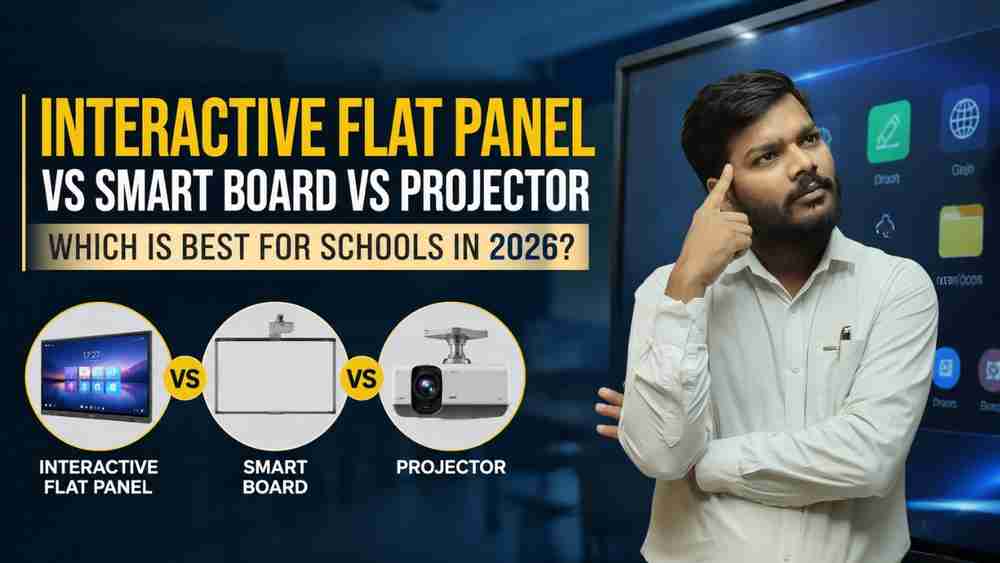
Interactive Flat Panel vs Smart Board vs Projector: Which is Best for Schools in 2026?
Introduction
Education is evolving faster than ever. Traditional chalkboards and static teaching methods are rapidly being replaced by interactive, technology-driven learning environments that improve student engagement, collaboration, and learning outcomes. Across India, schools, colleges, coaching institutes, and training centers are investing heavily in smart classroom technology to create modern learning experiences.
However, one common challenge educational institutions face is choosing the right classroom display solution. Should they invest in an Interactive Flat Panel, continue using a Smart Board, or opt for a Projector-based classroom setup?
Each technology offers unique advantages, but their performance, maintenance requirements, long-term costs, and classroom impact can vary significantly. Making the wrong investment can lead to higher maintenance expenses, lower teacher adoption, and limited educational benefits.
In this comprehensive guide, we'll compare Interactive Flat Panels, Smart Boards, and Projectors to help educational institutions determine which solution delivers the best value and learning experience in 2026.
Quick Answer: Which Display Technology Is Best for Schools in 2026?
For most schools and educational institutions, Interactive Flat Panels (IFPs) are the best choice in 2026. They provide superior image quality, responsive touch interaction, built-in educational software, wireless collaboration features, and significantly lower maintenance requirements compared to Smart Boards and Projectors.
Feature | Interactive Flat Panel | Smart Board | Projector |
Display Quality | Excellent | Good | Moderate |
Touch Interaction | Advanced Multi-Touch | Good | Limited |
Maintenance | Very Low | Moderate | High |
Lifespan | Long | Moderate | Moderate |
Energy Efficiency | High | Medium | Medium |
Classroom Engagement | Excellent | Good | Basic |
Long-Term ROI | Excellent | Good | Moderate |
While Smart Boards and Projectors still have specific use cases, Interactive Flat Panels are increasingly becoming the preferred solution for future-ready classrooms.
Understanding Modern Classroom Display Technologies
What is an Interactive Flat Panel?
An Interactive Flat Panel (IFP) is a large touch-enabled display designed specifically for education and collaboration. Unlike traditional classroom displays, Interactive Flat Panels combine advanced touchscreen technology, high-resolution visuals, built-in computing capabilities, and educational software into a single device.
Modern Interactive Flat Panels typically include:
- Multi-touch support
- Built-in Android operating systems
- Digital whiteboarding tools
- Wireless screen sharing
- Cloud integration
- Educational annotation software
- Hybrid learning compatibility
Popular educational solutions include Maxhub Interactive Flat Panels, BenQ Interactive Displays, and iSlate Interactive Panels.
Teachers can write, draw, annotate documents, display multimedia content, and collaborate with students directly on the screen, making lessons more engaging and interactive.
What is a Smart Board?
A Smart Board is an interactive whiteboard that typically works alongside a projector and computer. It allows teachers to interact with projected content using touch or digital pens.
Smart Boards gained popularity during the early stages of smart classroom adoption because they introduced interactivity into traditional teaching environments.
Key features include:
- Interactive whiteboard functionality
- Digital annotation
- Touch-enabled teaching
- Integration with classroom software
However, most Smart Boards depend heavily on projectors, which can introduce challenges such as calibration issues, shadow effects, and ongoing maintenance requirements.
What is a Classroom Projector?
A classroom projector displays content from a computer onto a screen or wall using projected light.
Projectors remain widely used in schools, colleges, seminar halls, and training rooms because they can create large display areas at relatively low initial costs.
Common applications include:
- Presentations
- Video lectures
- Training sessions
- Auditorium displays
- Classroom instruction
While projectors are cost-effective initially, they generally lack advanced interactivity and often require regular maintenance, including lamp replacements and alignment adjustments.
Interactive Flat Panel vs Smart Board vs Projector: Detailed Comparison
Display Quality
Display quality plays a critical role in student engagement and content visibility.
Interactive Flat Panels offer:
- 4K Ultra HD resolution
- High brightness levels
- Excellent color accuracy
- Wide viewing angles
- Clear visibility even in bright classrooms
Smart Boards rely on projector output, meaning image quality depends on projector performance.
Projectors can struggle with:
- Ambient light interference
- Reduced brightness over time
- Lower color accuracy
- Image distortion
For modern classrooms where visual learning is increasingly important, Interactive Flat Panels provide the most consistent viewing experience.
Touch and Interactivity
Student participation is one of the most important goals of smart classroom technology.
Interactive Flat Panels typically support:
- 20–40 touch points
- Simultaneous student collaboration
- Digital annotation
- Real-time content manipulation
- Interactive educational applications
Smart Boards also provide interactive functionality but may experience reduced accuracy due to calibration requirements.
Projectors generally offer little or no built-in interactivity unless paired with additional hardware.
For collaborative learning environments, Interactive Flat Panels deliver a significantly better user experience.
Ease of Use
Technology should simplify teaching rather than complicate it.
Interactive Flat Panels offer:
- Instant startup
- User-friendly interfaces
- Built-in educational apps
- Wireless connectivity
- Minimal setup requirements
Teachers can begin lessons immediately without waiting for devices to warm up or calibrate.
Smart Boards often require projector setup and occasional recalibration.
Projectors typically require additional devices, cabling, and environmental adjustments for optimal performance.
As a result, Interactive Flat Panels are generally the easiest option for daily classroom use.
Classroom Engagement
Modern education emphasizes active participation rather than passive learning.
Interactive Flat Panels support:
- Interactive quizzes
- Collaborative activities
- Multimedia-rich lessons
- Digital whiteboarding
- Student-led presentations
These features encourage participation and improve retention.
Smart Boards also support interactive teaching but may offer a less seamless experience due to their dependence on projector systems.
Projectors are excellent for displaying content but provide limited opportunities for direct interaction.
Institutions focused on improving engagement often find Interactive Flat Panels to be the most effective solution.
Maintenance Requirements
Maintenance costs can significantly impact the long-term value of classroom technology.
Interactive Flat Panels
- No lamps to replace
- No calibration requirements
- Minimal servicing
- Long operational life
Smart Boards
- Periodic calibration
- Projector maintenance
- Software updates
- Additional hardware support
Projectors
- Lamp replacement
- Filter cleaning
- Alignment adjustments
- Brightness degradation over time
Over several years, maintenance expenses for projectors can become substantial, making Interactive Flat Panels more cost-effective in the long run.
Durability and Lifespan
Educational institutions need technology investments that remain reliable for years.
Interactive Flat Panels are designed for continuous daily use and typically offer extended operational lifespans with minimal performance degradation.
Smart Boards remain durable but are dependent on projector systems that may require replacement earlier.
Projectors generally experience gradual brightness reduction and require ongoing component replacements.
For schools seeking long-term reliability, Interactive Flat Panels offer the strongest durability profile.
Cost Comparison: Which Technology Delivers Better Value?
When evaluating classroom technology, many institutions focus primarily on the initial purchase price. However, the true cost of a display solution includes installation, maintenance, upgrades, downtime, and operational expenses over several years.
Initial Investment
Projectors generally have the lowest upfront cost, making them attractive for institutions with limited budgets. Smart Boards require additional components such as projectors and computers, which increase overall investment. Interactive Flat Panels typically have a higher initial cost but include integrated features that eliminate the need for many external devices.
Long-Term Maintenance Costs
Over time, maintenance becomes a major factor.
Projectors often require:
- Lamp replacements
- Filter cleaning
- Regular servicing
- Brightness adjustments
Smart Boards may require:
- Projector maintenance
- Calibration
- Additional software management
Interactive Flat Panels require minimal maintenance because there are no projector lamps, filters, or calibration requirements.
Total Cost of Ownership
When schools evaluate technology over five to seven years, Interactive Flat Panels often provide the best return on investment due to reduced maintenance costs, lower downtime, and improved classroom productivity.
Benefits of Interactive Flat Panels for Schools
Interactive Flat Panels have become the preferred choice for modern educational institutions because they support a more engaging and collaborative learning experience.
Better Student Engagement
Students are naturally drawn to interactive content. Teachers can use touch-based activities, educational games, quizzes, and collaborative exercises to make lessons more engaging.
Improved Learning Outcomes
Visual and interactive teaching methods often help students understand complex concepts more effectively than traditional lecture-based approaches.
Interactive Teaching Tools
Teachers can:
- Annotate directly on content
- Save lesson notes
- Record sessions
- Share materials digitally
- Access online resources instantly
Wireless Collaboration
Students and teachers can wirelessly share content from laptops, tablets, and smartphones, creating a more collaborative classroom environment.
Hybrid Learning Support
As hybrid learning continues to grow, Interactive Flat Panels make it easier to combine in-person and remote teaching experiences.
Future-Ready Technology
Educational technology continues to evolve rapidly. Interactive Flat Panels provide a platform capable of supporting future software updates, cloud-based learning, and AI-powered educational tools.
When a Smart Board Still Makes Sense
Although Interactive Flat Panels are becoming increasingly popular, Smart Boards can still be a practical choice in certain situations.
Existing Infrastructure
Schools that already have Smart Board ecosystems in place may choose to continue using them until major upgrades are required.
Budget-Conscious Upgrades
Institutions looking for a gradual transition toward more advanced classroom technology may find Smart Boards suitable as an intermediate solution.
Teacher Familiarity
Some educators are already comfortable using Smart Board software and may prefer maintaining their current workflow.
For schools with functioning Smart Board environments, upgrading strategically rather than replacing everything immediately may be a practical approach.
When a Projector Remains a Practical Choice
Projectors are not obsolete. They continue to serve valuable purposes in educational environments.
Auditoriums and Seminar Halls
Large venues often require very large display areas that projectors can provide cost-effectively.
Training Centers
Projectors remain useful for presentations, workshops, and seminars where advanced interactivity is not essential.
Temporary Classrooms
Institutions operating temporary learning spaces may prefer projectors because of their flexibility and lower upfront costs.
Budget-Focused Institutions
Schools with limited funding may still find projectors a practical solution for basic digital instruction.
Which Technology Is Best for Different Educational Institutions?
Primary Schools
Recommended Solution: Interactive Flat Panel
Young students benefit significantly from touch-based learning, visual engagement, and collaborative activities.
Secondary Schools
Recommended Solution: Interactive Flat Panel
Advanced multimedia content, STEM education, and collaborative learning environments align perfectly with Interactive Flat Panel capabilities.
Colleges and Universities
Recommended Solution: Interactive Flat Panel + Projector Combination
Interactive Flat Panels work well in classrooms, while projectors remain effective for large lecture halls.
Coaching Institutes
Recommended Solution: Interactive Flat Panel
Coaching institutes increasingly use digital content, recorded lectures, and online teaching tools that integrate well with Interactive Flat Panels.
Online Teaching Studios
Recommended Solution: Interactive Flat Panel
For educators conducting online classes, Interactive Flat Panels enable seamless annotation, presentation sharing, and hybrid teaching workflows.
Smart Classroom Trends in 2026
Educational technology is evolving rapidly. Several trends are shaping the future of digital learning.
AI-Powered Learning
Artificial Intelligence is helping educators personalize learning experiences and provide targeted student support.
Hybrid Classrooms
Institutions increasingly need solutions that support both in-person and remote learners simultaneously.
Wireless Teaching Ecosystems
Teachers expect seamless content sharing without complex wiring or hardware dependencies.
Cloud Collaboration
Cloud-based platforms allow students and teachers to collaborate from anywhere.
Interactive Educational Content
Digital simulations, interactive exercises, and multimedia-rich lessons continue to replace static teaching materials.
Digital Assessment Tools
Real-time quizzes, instant feedback systems, and analytics-driven learning are becoming standard classroom features.
Interactive Flat Panels align closely with these emerging trends, making them a future-ready investment.
How to Choose the Right Interactive Flat Panel
Selecting the right Interactive Flat Panel requires careful evaluation of several factors.
Screen Size
Choose a screen size appropriate for classroom dimensions and student viewing distances.
Resolution
A 4K display provides better image clarity and readability.
Touch Technology
Look for smooth multi-touch performance that supports collaborative learning.
Android Version
Updated operating systems ensure better performance and software compatibility.
OPS Compatibility
An OPS (Open Pluggable Specification) computer can enhance functionality and simplify classroom management.
Connectivity Options
Consider:
- HDMI
- USB-C
- Wi-Fi
- Bluetooth
- Screen sharing capabilities
Warranty and Support
Reliable support and warranty coverage are critical for educational institutions.
Popular educational display brands include Maxhub, BenQ, and iSlate, each offering solutions designed for classroom environments.
Why Schools Across India Are Moving Towards Interactive Flat Panels
The demand for Interactive Flat Panels continues to rise because they address many of the challenges associated with older classroom technologies.
Key reasons include:
- Better student engagement
- Superior display quality
- Lower maintenance requirements
- Improved teaching efficiency
- Enhanced collaboration
- Hybrid learning compatibility
- Long-term cost effectiveness
As schools modernize their learning environments, Interactive Flat Panels are becoming central to smart classroom initiatives.
How Edumark Technologies Helps Educational Institutions Build Future-Ready Classrooms
Successful classroom transformation requires more than just purchasing hardware. Educational institutions need proper planning, installation, training, and ongoing support.
Edumark Technologies helps schools, colleges, coaching institutes, and training organizations implement modern educational technology solutions through a structured approach.
Solutions include:
- Interactive Flat Panel deployment
- Smart classroom setup
- Hybrid classroom design
- Online teaching studio creation
- PTZ camera integration
- Professional microphone systems
- Educational streaming infrastructure
- OPS computing solutions
- Teacher training programs
- Technical support services
By combining technology expertise with educational requirements, Edumark Technologies helps institutions create engaging digital learning environments tailored to their specific goals.
Frequently Asked Questions
1. What is the difference between an Interactive Flat Panel and a Smart Board?
An Interactive Flat Panel is a self-contained touch display with built-in computing capabilities, while a Smart Board typically relies on a projector and external computer.
2. Are Interactive Flat Panels better than projectors?
For most classrooms, Interactive Flat Panels offer better image quality, interactivity, and lower maintenance requirements than projectors.
3. How long does an Interactive Flat Panel last?
Most quality Interactive Flat Panels are designed to operate reliably for many years with minimal maintenance.
4. Which display technology is best for smart classrooms?
Interactive Flat Panels are widely considered the most effective display solution for modern smart classrooms.
5. Are Interactive Flat Panels worth the investment?
Although the initial investment may be higher, many institutions find that lower maintenance costs and improved classroom engagement provide strong long-term value.
6. Can Interactive Flat Panels support online teaching?
Yes. Interactive Flat Panels integrate effectively with video conferencing platforms and hybrid learning environments.
7. What screen size is ideal for schools?
The ideal screen size depends on classroom dimensions, but larger classrooms generally benefit from 75-inch or 86-inch displays.
8. What is the maintenance cost of an Interactive Flat Panel?
Maintenance costs are typically minimal compared to projector-based systems because there are no lamps or filters to replace.
Conclusion
Choosing between an Interactive Flat Panel, Smart Board, and Projector requires careful consideration of educational goals, classroom requirements, and long-term value.
Projectors remain useful for large venues and budget-focused applications. Smart Boards continue to serve institutions with existing interactive classroom infrastructure. However, for most schools in 2026, Interactive Flat Panels offer the strongest combination of display quality, interactivity, reliability, and future readiness.
As education continues to embrace digital learning, collaborative teaching, and hybrid classrooms, Interactive Flat Panels are becoming the preferred technology for institutions seeking to enhance student engagement and create modern learning experiences.
Before making an investment, schools should evaluate not only the purchase price but also long-term maintenance, teacher adoption, learning outcomes, and future technology requirements. A well-planned smart classroom strategy can deliver benefits for students, educators, and institutions for many years to come.