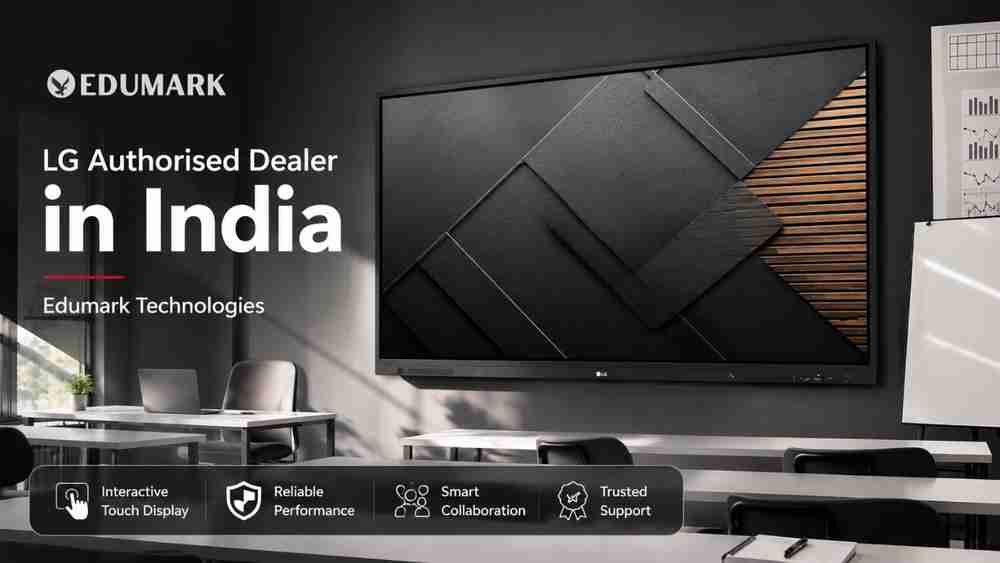
Looking for an LG Authorised Dealer in India for an interactive digital board or smart
classroom solution? Edumark Technologies provides LG interactive display and smart classroom solutions for schools, colleges, universities, coaching institutes, training centres and other professional environments across India. With LG CreateBoard interactive digital boards, institutions can bring touch-based collaboration, digital content and modern presentation workflows into their classrooms.
Before purchasing, buyers should verify the current LG dealer, partner or authorised sales status, product availability, warranty and model specifications through applicable official LG documentation.
LG CreateBoard: Interactive Digital Board for Modern Classrooms
LG CreateBoard is positioned in LG's Information Display range as an Interactive Digital Board, designed around smart collaboration and intuitive touch interaction. The catalogue describes CreateBoard as helping participants share ideas on-screen using intuitive touch and embedded collaboration solutions.
For schools and educational institutions, an interactive digital board can become the central display for:
- Digital teaching
- Interactive presentations
- Multimedia lessons
- Digital annotation
- Collaborative classroom activities
- Visual learning
- Hybrid teaching workflows
- Online content and presentations
Instead of treating an interactive display as simply a replacement for a traditional blackboard or whiteboard, institutions can integrate it into a complete smart classroom ecosystem involving computers, cameras, microphones, speakers, networking and educational software.
LG CreateBoard Models Featured in the 2025 Catalogue
The LG Information Display Range Catalogue 2025 presents two CreateBoard series: the LG CreateBoard TR3DK-I Series and LG CreateBoard TR5WP Series.
LG CreateBoard TR3DK-I Series
The TR3DK-I Series is presented in multiple screen-size options, including 55-inch, 65-inch, 75-inch and 86-inch configurations. The catalogue lists the following specifications for the series:
- Up to 3,840 × 2,160 UHD resolution
- Up to 64GB internal memory/storage
- 8GB RAM
- Up to 440 nit brightness
- Multi-touch support up to 40 touch points
- Multiple screen-size configurations
These specifications make the TR3DK-I Series suitable for institutions looking for a large interactive digital board for classroom teaching, presentations and collaborative activities. Specifications can vary by production batch and region, so the exact model datasheet should be checked before purchase.
LG CreateBoard TR5WP Series
The LG CreateBoard TR5WP Series takes the interactive display concept into a larger 105-inch format. According to the catalogue, the model features:
- 105-inch display
- 5,120 × 2,160 resolution
- 21:9 wide-screen format
- Approximately 440 nit typical brightness
- Multi-touch support of up to 50 touch points
The 21:9 wide-screen format can be particularly useful where institutions want a large collaborative canvas for teaching, presentations and group interaction.
Why Choose an LG Interactive Digital Board for Education?
Modern classrooms increasingly require more than static teaching material. Teachers may need to combine presentations, videos, diagrams, web resources, digital notes and collaborative activities during the same lesson.
An LG CreateBoard can support this type of workflow through its interactive touch experience and large-format display.
1. Interactive Teaching
Teachers can use the large touch display for digital annotation, demonstrations, diagrams and interactive learning activities.
2. Multimedia Learning
Digital boards can bring presentations, images, videos and other visual learning resources onto one classroom display.
3. Collaborative Learning
LG's CreateBoard positioning focuses on collaboration and sharing ideas directly on the screen, making interactive participation an important part of the experience.
4. Large-Format Learning
With CreateBoard options extending from smaller classroom-friendly configurations to a 105-inch ultra-wide model, institutions can select a display according to room size, viewing distance and teaching requirements.
5. Hybrid and Digital Teaching
An interactive panel can be combined with a PTZ camera, microphone, computer and suitable teaching software to create a more complete online or hybrid classroom environment.
LG Interactive Flat Panel for Schools
Schools can use an LG interactive display for smart classrooms, digital lessons, presentations and multimedia-based teaching.
A properly planned classroom setup may include:
- LG interactive digital board
- Teacher computer or PC
- PTZ teaching camera
- Wireless or wired microphone
- Classroom speakers
- Internet connectivity
- Presentation and teaching software
- Appropriate wall or mobile mounting solution
The display should be selected according to classroom dimensions, number of students, viewing distance and the teacher's actual teaching workflow.
LG Interactive Display for Colleges and Universities
Colleges and universities can deploy large-format interactive displays in:
- Lecture rooms
- Seminar halls
- Training rooms
- Presentation rooms
- Hybrid classrooms
- Faculty training environments
- Collaborative learning spaces
For larger rooms, institutions may consider larger CreateBoard configurations or combine interactive displays with additional presentation and video-conferencing equipment.
LG Interactive Digital Board for Coaching Institutes
Coaching institutes increasingly depend on digital content, recorded lectures, presentations, diagrams and online learning resources.
An LG CreateBoard can become the central display for a coaching classroom, allowing educators to combine traditional explanation with digital visual content and interactive teaching.
For institutes running hybrid classes, the display can also be integrated with cameras, microphones, computers and online teaching platforms.
LG Smart Board Price in India
One of the most searched terms among buyers is LG smart board price in India. However, there is no single fixed price for every LG interactive display.
The final quotation can depend on:
- Screen size
- Exact LG model
- CreateBoard series
- Display resolution
- Touch capabilities
- Accessories
- Mounting requirements
- Installation
- Quantity of displays
- Classroom infrastructure
- Warranty and support
- Institutional deployment requirements
Therefore, buyers searching for LG interactive flat panel price in India, LG interactive display price in India, LG digital board price or LG smart board price should request a quotation for the exact model and configuration.
Why Choose Edumark Technologies for LG Solutions?
Edumark Technologies focuses on education technology, interactive displays and complete smart classroom solutions.
The company can assist institutions with:
- LG interactive display solutions
- Interactive flat panel consultation
- Smart classroom planning
- Digital classroom deployment
- Installation assistance
- Computer and connectivity configuration
- Audio and camera integration
- Technical support
- Customized classroom solutions
- Institutional technology consultation
- Teacher-focused technology solutions
- Smart classroom infrastructure
Edumark Technologies provides education technology solutions across India and can help institutions evaluate their requirements before selecting an appropriate configuration.
For transparency, customers should confirm the current LG authorisation, dealer or partner status applicable to their purchase through official documentation before placing an order.
LG Installation and Smart Classroom Setup
Buying an interactive display is only one part of a successful digital classroom.
A complete deployment can involve:
- Classroom/site assessment
- Display selection
- Wall or stand installation
- Computer configuration
- Network configuration
- Audio integration
- Camera integration
- Software configuration
- Screen-sharing setup
- Teacher orientation
- Troubleshooting assistance
- Maintenance guidance
Edumark Technologies can help institutions plan the broader classroom infrastructure around the selected LG display.
How to Choose the Right LG Interactive Display?
Before buying an LG interactive flat panel, consider these factors:
Screen Size
Choose the display size according to classroom dimensions, student capacity and viewing distance.
Resolution
Higher resolution can provide clearer text, diagrams, presentations and multimedia content. The CreateBoard TR3DK-I Series listed in the catalogue supports up to 3,840 × 2,160 UHD, while the TR5WP Series is listed with 5,120 × 2,160 resolution.
Touch Technology
Consider how many users may interact with the screen simultaneously. The catalogue lists up to 40 touch points for TR3DK-I and up to 50 touch points for TR5WP.
Classroom Format
A standard classroom may require a different display configuration than a large lecture room, training centre or collaborative space.
Connectivity
Check the required HDMI, USB, networking and other interfaces before installation.
Software Compatibility
Confirm compatibility with the teaching applications, presentation tools and content workflows used by your institution.
Audio and Camera
For online or hybrid teaching, evaluate whether the classroom requires external speakers, microphones, a PTZ camera or additional conferencing equipment.
Warranty and Support
Always confirm the applicable warranty, installation responsibilities, service coverage and support conditions before purchasing.
LG Dealer Near Me: What Should You Check?
When searching for an LG dealer near me, price should not be the only consideration.
Educational institutions should also ask about:
- Product availability
- Exact model number
- Product demonstration
- Installation
- Warranty documentation
- Service coverage
- Technical support
- Genuine accessories
- Configuration assistance
- Smart classroom integration
A supplier who understands the complete classroom environment can help prevent compatibility and installation problems later.
How to Buy an LG Interactive Flat Panel from Edumark Technologies
Step 1: Discuss Your Requirements
Share your classroom size, student capacity, existing infrastructure, intended usage and approximate budget.
Step 2: Select the Right LG Model
Compare available LG CreateBoard configurations according to verified specifications, room requirements and availability.
Step 3: Get a Configuration-Based Quotation
Request a quotation covering the display, accessories, installation and applicable support services.
Step 4: Installation and Configuration
After purchase, coordinate display installation, computer connectivity, peripherals and classroom configuration according to the agreed scope.
Step 5: Start Your Smart Classroom
Once installation and configuration are completed, teachers can begin using the interactive display for digital lessons, presentations and collaborative teaching.
LG Interactive Display vs Traditional Classroom Teaching
Traditional Classroom | LG Interactive Teaching |
Manual board writing | Digital annotation |
Static teaching material | Multimedia content |
Manual presentations | Digital presentations |
Limited visual resources | Rich digital content |
Physical teaching resources | Centralized digital presentation |
Conventional classroom workflow | Interactive and collaborative workflow |
Interactive technology is a teaching tool rather than a substitute for effective teaching. The final learning experience depends on how educators integrate technology with their curriculum and teaching methods.
Frequently Asked Questions
1. Who is an LG Authorised Dealer in India?
An LG dealer or partner should be considered authorised only when the current relationship is confirmed through applicable official LG documentation. Buyers should verify the status before placing an order.
2. What is LG CreateBoard?
LG CreateBoard is presented in LG's Information Display catalogue as an Interactive Digital Board, designed around intuitive touch interaction and collaboration.
3. Which LG CreateBoard models are listed in the catalogue?
The 2025 catalogue features the LG CreateBoard TR3DK-I Series and LG CreateBoard TR5WP Series.
4. What sizes are available in the LG CreateBoard TR3DK-I Series?
The catalogue lists 55-inch, 65-inch, 75-inch and 86-inch options for the TR3DK-I Series.
5. What is the LG CreateBoard TR5WP?
The TR5WP is a 105-inch, 21:9 wide-screen CreateBoard with 5,120 × 2,160 resolution and up to 50 touch points, according to the catalogue.
6. What is the LG smart board price in India?
Pricing depends on the exact model, size, configuration, accessories, installation, quantity and support requirements. A current model-specific quotation should be requested.
7. Is LG CreateBoard suitable for schools?
Yes. Its interactive digital board positioning and touch-based collaboration make it suitable for digital teaching, presentations and collaborative classroom activities, subject to the selected configuration.
8. Can LG interactive displays be used for online teaching?
Yes. An interactive display can be integrated into online or hybrid classrooms using compatible computers, cameras, microphones, networking and teaching software.
9. Does Edumark Technologies provide LG installation assistance?
Edumark Technologies provides installation assistance and smart classroom deployment services. The exact scope should be confirmed for the selected product and project.
10. How do I choose the right LG interactive display?
Consider screen size, resolution, touch capability, classroom dimensions, connectivity, software compatibility, audio, camera requirements, installation, warranty and after-sales support.
Final CTA
If you are planning to buy an LG interactive flat panel, install an LG CreateBoard, upgrade an existing classroom or build a complete smart classroom, Edumark Technologies can help you evaluate the right configuration for your institution.
Get assistance with LG interactive display selection, configuration, quotation, installation and smart classroom integration from Edumark Technologies.
Contact Edumark Technologies
Website: www.edumarktechnologies.com
Email: info@edumarktechnologies.in
Phone: +91-8002805461
Service Availability: Across India
GeM Seller ID: WQW0260014582399
Before placing an order, confirm the latest LG product availability, specifications, warranty conditions and applicable LG authorisation, dealer or partner status through official documentation.
Edumark Technologies — Smart Classrooms. Smarter Future.