Introduction
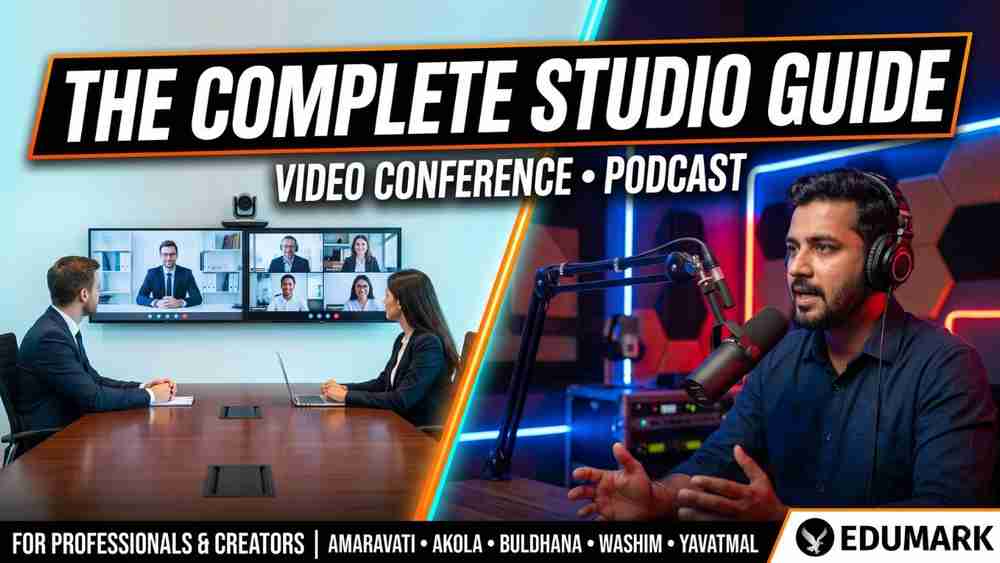
The way we communicate, teach, and create content has changed forever. Whether you are a school in Akola, a corporate team in Amaravati, or a content creator in Yavatmal — a professional studio setup is no longer a luxury. It is a necessity.
A basic laptop camera and a ceiling fan humming in the background will not cut it anymore. Your audience, students, and clients expect crisp video, clear audio, and a polished visual presence. That is exactly what a professional video conference or podcast studio setup delivers.
Edumark Technologies helps businesses, educators, and creators across Amaravati, Akola, Buldhana, Washim, and Yavatmal build complete studio setups — from scratch to fully operational.
What is a Video Conference Studio Setup?
A video conference studio setup is a dedicated, professionally equipped space designed for high-quality video communication — whether that is online classes, business meetings, webinars, or training sessions.
Real-World Use Cases
• Online classes and coaching sessions
• Corporate meetings and client calls
• Webinars, product demos, and training programs
• Government bodies and institutional video communication rooms
Key Benefits
• Professional video quality that builds immediate trust with your audience
• Crystal-clear audio for distraction-free communication
• A branded visual environment that reflects your organisation's identity
• Reduced technical errors and zero last-minute setup stress
Essential Equipment for Video Conference Studio
Equipment | Description | Best For |
4K PTZ Camera | Auto-tracking, wide-angle zoom, ultra-sharp clarity | Classrooms and boardrooms where the speaker moves freely |
Noise-Cancellation Microphone | Filters out background noise — no fan sounds, no echo | All video conference and online teaching setups |
Professional Lighting | Soft front-facing lights for broadcast-quality appearance | Any room — eliminates harsh shadows |
Digital Display / Smart Board | Interactive presentations and whiteboard sessions | Teachers and corporate trainers |
High-Performance Computer | Runs conferencing software without lags or crashes | All live and recorded sessions |
High-Speed Stable Internet | Wired LAN with backup bandwidth for zero call drops | All live streaming and video calls |
Conferencing Software Comparison
Software | Best For | Key Feature |
Zoom | Webinars and large meetings | Breakout rooms, recording, 1000+ attendees |
Google Meet | Teams using Google Workspace | Seamless Drive and Calendar integration |
Microsoft Teams | Corporate and enterprise | Deep Office 365 integration and security |
Step-by-Step: Video Conference Studio Setup
Step 1 — Choose the Right Room
Select a quiet room with minimal echo. Avoid large glass windows, hard walls with no furnishings, and spaces near high-traffic areas.
Step 2 — Position the Camera
Place the camera at eye level, centered to your face. Frame yourself with a small amount of headroom above to maintain a natural, conversational look.
Step 3 — Set Up Lighting
Place your key light in front of you at a 45-degree angle. Add a soft fill light on the opposite side to reduce shadows and create an even, flattering appearance.
Step 4 — Configure Audio
Position the microphone 6 to 12 inches from your mouth. Test noise cancellation settings in your conferencing software before any live session.
Step 5 — Design Your Background
Use a clean, branded background. A logo wall, a tidy bookshelf, or a simple professional banner all work well and reinforce your brand image.
Step 6 — Final Testing Checklist
• Check camera focus and framing
• Verify audio input levels
• Balance your lighting
• Run an internet speed test
• Test screen sharing in your conferencing software
What is a Podcast Studio Setup?
A podcast studio is a sound-optimised space for recording audio — and sometimes video — content that you publish online on platforms like Spotify, YouTube, or Apple Podcasts.
Podcasting in India has grown dramatically in recent years. From teachers building personal brands to business owners sharing their expertise, more professionals in cities like Akola and Amaravati are launching podcasts as a serious content and marketing channel. A proper podcast setup ensures your recordings sound radio-quality rather than like a voice note recorded in a kitchen.
Podcast Studio Equipment Guide
Equipment | Type / Options | Best For |
Microphone | Dynamic / Condenser | Dynamic for untreated rooms; Condenser for treated studios |
Audio Interface / Mixer | USB or XLR | Connects mic to computer; controls gain, EQ, and levels |
Studio Headphones | Closed-back | Real-time monitoring without sound bleed into recordings |
Camera (video podcasts) | Mirrorless / DSLR | Cinematic quality via clean HDMI output |
Lighting | Ring light / softbox / 3-point | Single host or multi-person podcast setups |
Acoustic Panels | Foam panels + curtains + rugs | Absorbs echo and transforms any room into a recording space |
Recording & Editing Software
Software | Cost | Best For |
Audacity | Free | Beginner-friendly audio editing and recording |
Adobe Audition | Paid | Professional-grade polished audio production |
DaVinci Resolve | Free | Combined video and audio editing for video podcasters |
Step-by-Step: Podcast Studio Setup
Step 1 — Pick a Quiet Room
Smaller rooms with soft furnishings like sofas, curtains, and bookshelves naturally reduce echo and are easier to treat acoustically.
Step 2 — Basic Soundproofing
Mount acoustic foam panels on the wall behind and beside you. Add a thick rug on the floor and hang heavy curtains if possible.
Step 3 — Mic Placement
Place the microphone at mouth level, approximately a fist's distance away. Use a pop filter to reduce harsh plosive sounds like 'p' and 'b'.
Step 4 — Set Up Your Recording Chain
Connect your microphone to the audio interface, the interface to your computer, and monitor through your headphones while recording.
Step 5 — Record and Edit
Record a short test episode first. Remove long silences, reduce background noise, and normalise your audio levels before publishing.
Step 6 — Publish Your Podcast
• Spotify for Podcasters — via direct upload
• Apple Podcasts — via RSS feed
• YouTube — via direct video upload
Video Conference Studio vs Podcast Studio
Feature | Video Conference Studio | Podcast Studio |
Primary purpose | Live meetings and online classes | Recorded audio and video content |
Key equipment | PTZ cameras, smart board, conferencing mic | Dynamic mic, audio interface, mixer |
Soundproofing | Moderate acoustic treatment | Higher level of soundproofing required |
Software | Zoom, Teams, Google Meet | Audacity, Adobe Audition, DaVinci Resolve |
Typical users | Schools, corporates, trainers | Creators, educators, thought leaders |
Setup cost | Medium to high investment | Starts lower, scales upward |
Output format | Live streams and session recordings | Edited episodes on streaming platforms |
Common Mistakes to Avoid
1. Poor Audio Quality
This is the single biggest mistake most beginners make. Viewers and listeners will tolerate average video far more than poor audio. Invest in your microphone and acoustic treatment first.
2. Over or Under-Lighting
Too bright washes out your face. Too dark looks unprofessional. Aim for balanced, even lighting from the front.
3. Messy or Distracting Background
Your background is part of your brand. Keep it clean and intentional — it speaks before you even open your mouth.
4. Ignoring Room Acoustics
Echo and reverb are very difficult to remove in post-production. Treat your room early to save hours of editing.
5. Weak or Unstable Internet
Always use a wired LAN connection for anything live or important. Wi-Fi causes dropped calls and pixelated video.
Why Choose Edumark Technologies?
Edumark Technologies is your end-to-end studio setup partner across Maharashtra. We do not just sell equipment — we build complete, ready-to-use studio environments tailored to your specific needs and budget.
• Complete hardware and software setup under one roof
• Custom-designed solutions for teachers, corporates, and content creators
• On-site installation and remote support — you are never left alone after purchase
• Staff training so your team operates the setup with confidence
• Affordable packages for every budget, from starter setups to full broadcast studios
• EMI options available for flexible payment
Studio Setup Services Across Maharashtra
Amaravati
Edumark Technologies is the best studio setup provider in Amaravati for schools, coaching institutes, corporate offices, and content creators. We offer complete video conference and podcast studio solutions with local installation and ongoing support.
Akola
We provide hybrid and podcast studio setups in Akola for coaching institutes, businesses, and educators who want to build a strong professional digital presence without travelling to a metro city.
Buldhana
From compact home studio setups to full corporate conferencing rooms, Edumark serves all professional studio needs in Buldhana with on-site support and personalised service.
Washim
Whether you are a government institution, a private business, or an individual creator in Washim, our team builds reliable and broadcast-ready studio environments at competitive pricing.
Yavatmal
Creators and educators in Yavatmal can now access the same studio quality seen in Mumbai and Pune — at local pricing with dedicated support from Edumark Technologies.
Pricing Overview
Setup Type | Starting Price | Ideal For |
Entry-level video conference | From Rs. 50,000 | Small offices, home tutors, solo educators |
Professional conference studio | Rs. 1.5 lakh – Rs. 5 lakh+ | Corporate boardrooms, institutions, training centres |
Starter podcast studio | From Rs. 30,000 – Rs. 60,000 | Individual creators, coaches, personal brands |
Full broadcast podcast studio | Rs. 1 lakh – Rs. 3 lakh+ | Professional content teams, media production |
All prices are approximate and vary by room size, equipment selection, and customisation requirements. Contact Edumark Technologies for a free custom quote tailored to your exact needs.
Frequently Asked Questions
How much does a video conference studio setup cost?
Setup costs depend on room size and equipment level. Entry-level setups begin around Rs. 50,000, while full professional studios typically range from Rs. 1.5 lakh to Rs. 5 lakh and above.
Can I set up a podcast studio at home?
Absolutely. A quiet room with basic acoustic treatment, a dynamic microphone, and an audio interface is enough to produce professional-sounding content. Edumark can guide you through the entire process.
Do I need a separate room for a podcast studio?
Not necessarily. A well-treated corner of any quiet room can serve as a starter studio. As your needs grow, you can expand and upgrade.
Does Edumark provide after-installation support?
Yes. We provide both on-site and remote technical support to all our clients across Amaravati, Akola, Buldhana, Washim, and Yavatmal.
Which microphone is best for online teaching?
For online classes and video conferencing, a USB condenser microphone or a wired cardioid microphone with noise cancellation works best and delivers clear, professional voice quality.
Contact Edumark Technologies
Ready to upgrade your classroom or launch your online teaching studio? Get in touch with Edumark Technologies today.
Detail | Information |
Company Name | |
Contact Number | +91 8002805461 |
+91 8002805461 (WhatsApp us for instant support) | |
Services Offered | Hybrid Classroom Setup, Studio Setup, Smart Classroom, Live Streaming, Lecture Recording |
Cities / Locations | Amaravati, Akola, Buldhana, Washim & Yavatmal — All over Maharashtra |
Support Included | On-Site Installation + Staff Training + After-Sales Support |
Pricing | Budget Friendly — Custom Quotes Available — EMI Options |
Website | |
@edumarktechnologies (follow for updates & tips) | |
Edumark Technologies (like our page) | |
Edumark Technologies (connect professionally) |
"सुनो सबकी, करो Edumark की.." — Edumark Technologies
Ready to Build Your Professional Studio?
You do not need a massive budget or a large dedicated space. You need the right partner.
Call: +91 8002805461 | WhatsApp: +91 8002805461 | www.edumarktechnologies.com