As classrooms and meeting rooms continue to evolve, Interactive Flat Panels (Smart Boards) have become an essential part of modern education and business communication. From schools and colleges to coaching institutes and corporate offices, organizations across India are replacing traditional whiteboards and projectors with smart boards that offer an engaging, interactive, and digital teaching experience.
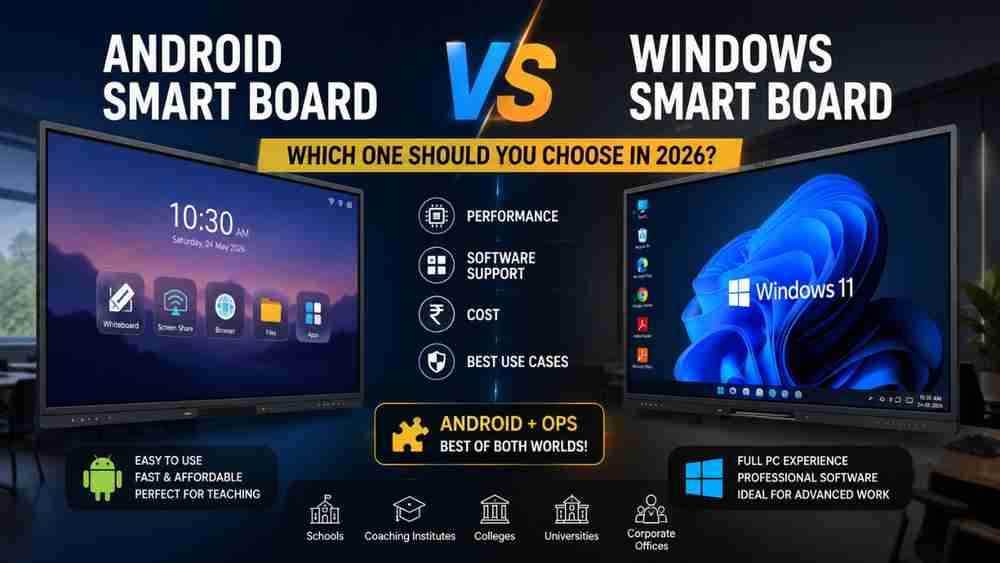
However, one common question buyers often ask is Android Smart Board vs Windows Smart Board – which one is the better choice?
Both options have their own advantages, and choosing the right one depends on your teaching style, software requirements, and budget. In this comprehensive Smart Board Buying Guide, we'll explain the differences between Android and Windows smart boards, discuss the role of an OPS Computer for Smart Board, and help you make the right investment for 2026.
What is an Android Smart Board?
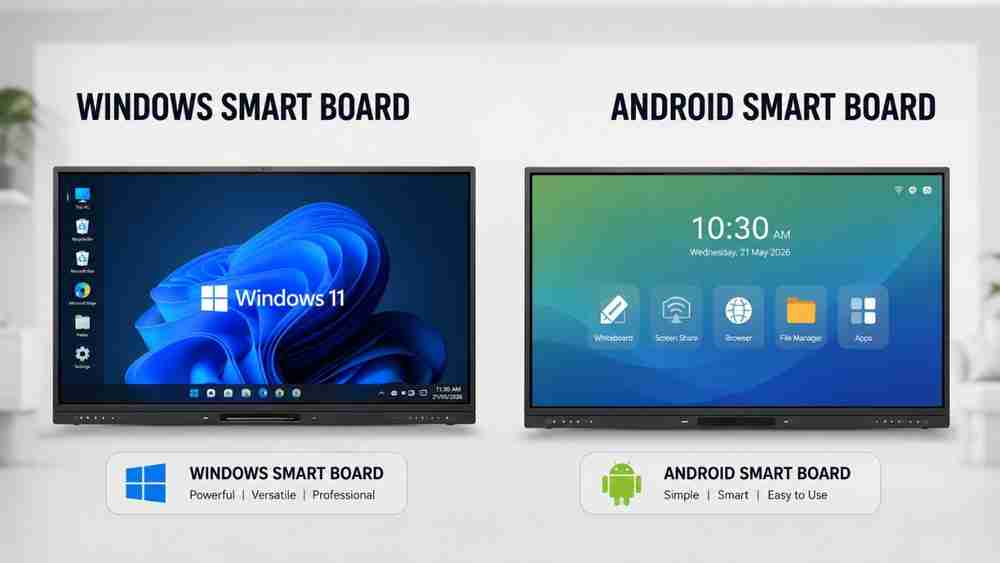
An Android Smart Board is an Interactive Flat Panel that comes with a built-in Android operating system. Since Android is already installed inside the display, it can function without an external CPU or desktop computer.
Simply switch on the board, and within a few seconds, it's ready for teaching.
Most Android smart boards include:
- Interactive whiteboard software
- Internet browser
- Wireless screen sharing
- File manager
- Media player
- Annotation tools
- Multi-touch support
- Play Store support (available in selected models)
Because of its simple interface and fast boot time, Android smart boards are extremely easy to use, even for teachers with limited technical knowledge.
Best For
- Schools
- Coaching institutes
- Tuition centres
- Teachers
- Smart classrooms
- Daily classroom teaching
For most educational institutions in India, an Android Smart Board provides everything required for interactive teaching without additional hardware.
What is a Windows Smart Board?
A Windows Smart Board functions like a complete Windows computer integrated with an interactive display. Instead of using Android, it runs the Windows operating system, allowing users to install and operate professional desktop applications.
A Windows smart board supports software such as:
- Microsoft Office
- Microsoft Teams
- Adobe Photoshop
- Adobe Premiere Pro
- AutoCAD
- Coding software
- School ERP systems
- College ERP software
- Video editing tools
- Accounting software
It delivers a full PC experience, making it ideal for institutions and businesses requiring advanced computing capabilities.
Best For
- Colleges
- Universities
- Engineering institutes
- Corporate meeting rooms
- Professional training centres
- Research organisations
If your work involves heavy software usage, a Windows Smart Board is an excellent investment.
Android Smart Board vs Windows Smart Board (Comparison Table)
Feature | Android Smart Board | Windows Smart Board |
Operating System | Android | Windows |
Performance | Optimized for teaching | Full desktop performance |
Boot Time | Very Fast | Moderate |
Ease of Use | Beginner Friendly | Requires basic computer knowledge |
Software Compatibility | Android Apps | Windows Desktop Applications |
Microsoft Office | Limited | Full Support |
Teaching Experience | Excellent | Excellent |
Storage | Moderate | Higher & Expandable |
Security | Android Security | Windows Enterprise Security |
Cost | More Affordable | Higher Investment |
Maintenance | Low | Moderate |
Best Use Cases | Schools & Coaching | Colleges & Corporate Offices |
What is OPS in a Smart Board?
When comparing Android Smart Board vs Windows Smart Board, you'll often come across the term OPS.
OPS stands for Open Pluggable Specification.
An OPS Computer is a compact mini PC that slides directly into a dedicated slot at the back of a compatible smart board. It eliminates the need for an external CPU, reduces cable clutter, and instantly transforms an Android smart board into a Windows-powered smart board.
Popular OPS configurations include:
- Intel i3 OPS
- Intel i5 OPS
- Intel i7 OPS
- Windows OPS
Benefits of an OPS Computer
- Converts an Android smart board into a Windows smart board
- Easy plug-and-play installation
- No external CPU required
- Better cable management
- Improved performance
- Supports professional Windows software
- Future upgrades are simple by replacing the OPS module
For many institutions, purchasing an Android smart board along with an Intel OPS offers the best balance between affordability and functionality.
Advantages of Android Smart Boards
Android smart boards are designed specifically for teaching and learning.
Key Benefits
- Easy to operate
- Affordable pricing
- Fast startup
- Low maintenance
- Built-in whiteboard software
- Wireless screen sharing
- Smooth touch experience
- Energy efficient
- Ideal for everyday classroom teaching
- Perfect for smart classroom solutions
These features make Android smart boards one of the most popular choices for schools and coaching institutes in India.
Advantages of Windows Smart Boards
Windows smart boards are built for users who require the power of a full desktop computer.
Key Benefits
- Complete PC experience
- Supports professional software
- Better multitasking
- Larger storage options
- Coding and programming support
- Video editing capability
- Advanced presentations
- ERP software compatibility
- Corporate meeting applications
- Professional productivity tools
If your work extends beyond classroom teaching, Windows smart boards provide unmatched flexibility.
Which Smart Board is Better?
The answer depends on your specific needs.
Schools
An Android Smart Board is usually the best choice because it is simple, reliable, and designed for daily classroom teaching.
Coaching Institutes
An Android Smart Board with an OPS Computer offers excellent flexibility. Teachers can teach using Android while switching to Windows whenever advanced software is required.
Colleges
A Windows Smart Board is ideal due to its compatibility with engineering, research, and professional applications.
Universities
Universities benefit from Windows smart boards because they support advanced academic software, virtual labs, and administrative tools.
Corporate Offices
Windows smart boards are the preferred option for presentations, collaboration, video conferencing, and enterprise applications.
Professional Teachers
For educators who create digital content, conduct online classes, or require advanced tools, an Android Smart Board with Windows OPS delivers the best of both worlds.
Why Choose Edumark Technologies?
Choosing the right smart classroom partner is just as important as selecting the right smart board. Edumark Technologies offers complete digital classroom and educational technology solutions for schools, colleges, coaching institutes, universities, and corporate organizations across India.
Their comprehensive services include:
- Smart Classroom Setup
- Hybrid Classroom Setup
- Interactive Smart Boards
- 4K PTZ Camera Setup
- Studio Lighting
- Professional Microphones
- Computer & PC Systems
- School ERP Software
- College ERP Software
- Mobile App Development
- Website Development
In addition to supplying high-quality solutions, Edumark Technologies provides:
- Expert consultation
- Professional installation
- Teacher training
- Technical support
- Reliable after-sales service
With Pan India service availability, the company helps educational institutions adopt modern teaching technology with confidence and long-term support.
Conclusion
The debate around Android Smart Board vs Windows Smart Board ultimately comes down to your requirements.
If your focus is everyday classroom teaching, interactive lessons, and affordability, an Android Smart Board is an excellent choice.
If you need advanced computing power, professional software compatibility, and desktop-level performance, a Windows Smart Board is the better option.
For institutions seeking maximum flexibility, an Android Smart Board with an OPS Computer is one of the smartest long-term investments. It combines the simplicity of Android with the power of Windows, allowing users to switch between both environments whenever needed.
Before making your purchase, consult experienced professionals who understand your institution's goals and can recommend the most suitable smart classroom solution.
Contact Edumark Technologies
Company Name: Edumark Technologies
Phone: +91 8002805461
Email: info@edumarktechnologies.com
Website: www.edumarktechnologies.com
Services
- Smart Classroom Setup
- Hybrid Classroom Setup
- Smart Boards
- 4K PTZ Camera
- Lighting Setup
- Microphone Setup
- PC System
- School ERP Software
- College ERP
- Mobile App Development
- Website Development
Support
- Consultation
- Installation
- Training
- After-Sales Support
Availability: Pan India Service
If you're planning to upgrade your classrooms or meeting spaces in 2026, contact Edumark Technologies for expert guidance, quality products, and complete smart classroom solutions tailored to your needs.